ChatGPT Plus Subscription Guide: Apple ID, Gift Cards, and Auto-Renewal Tips
Recently, many people have been asking:
- Can you subscribe to ChatGPT Plus through the App Store?
- Can you use gift card balances after changing your Apple ID region?
- Why do some succeed while others face issues with payment, redemption, and renewal?
I have organized the entire process and highlighted potential pitfalls. A reminder: when dealing with Apple ID regions, gift cards, and third-party platform purchases, always follow the platform’s rules. Prices, availability, and payment results are subject to what is displayed on the page.
1. What Do You Need for the Entire Process?
You generally need three things:
- An Apple ID for the target region
- Corresponding App Store/iTunes gift cards for that region
- An iOS device that can subscribe to ChatGPT
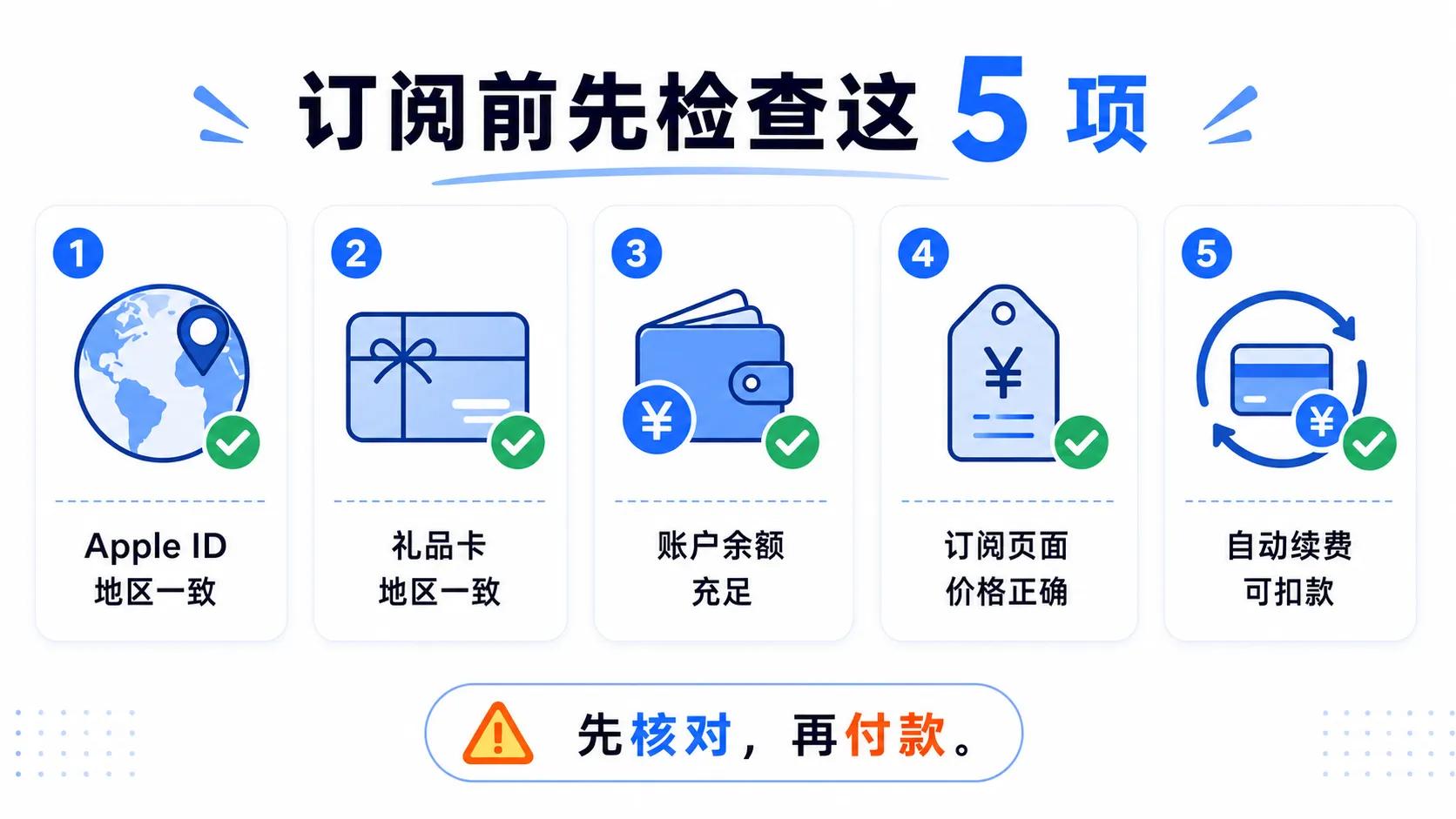
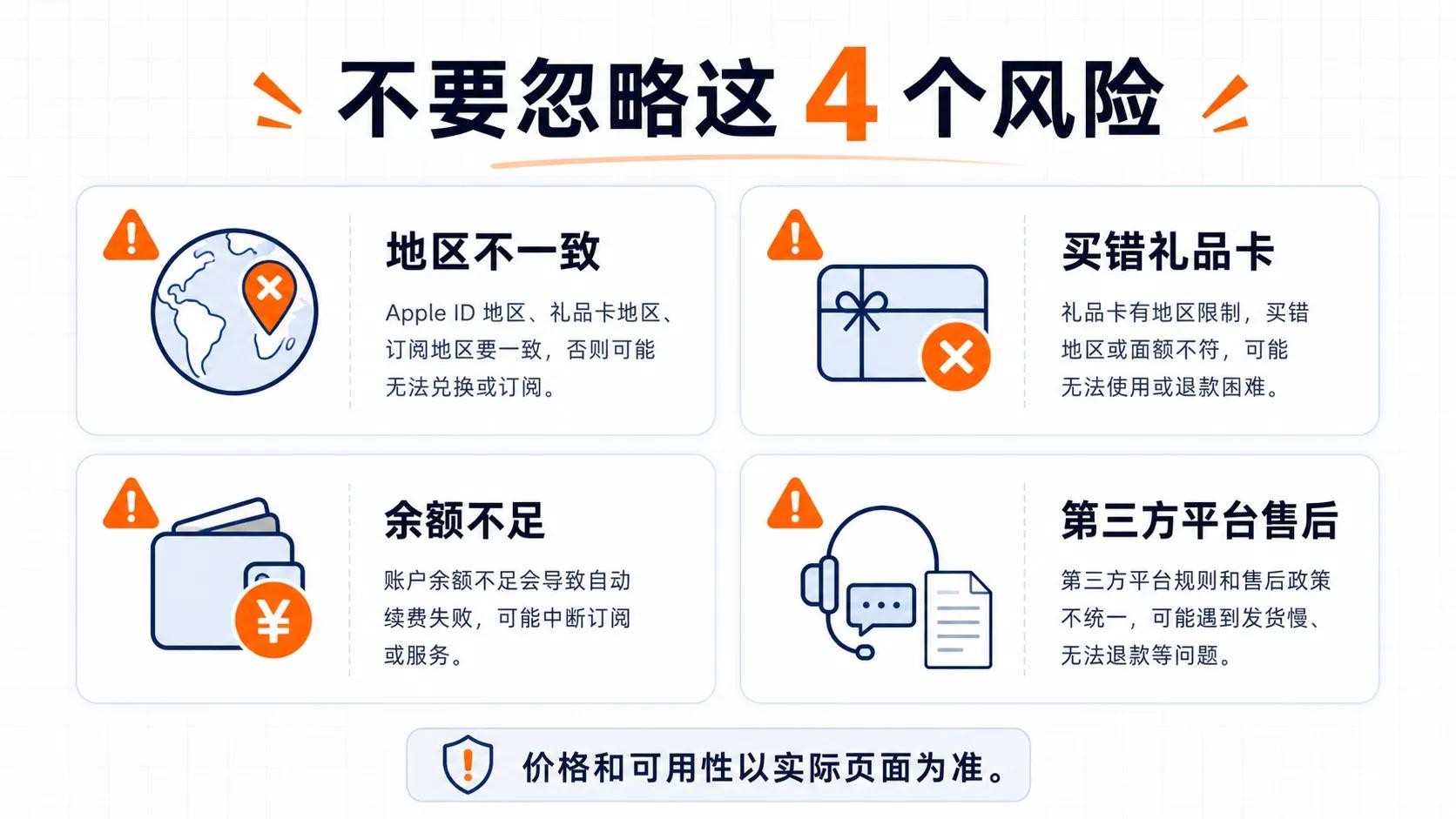
The key point is that the Apple ID region, gift card region, and App Store subscription region must match. According to Apple, gift cards can usually only be redeemed in the country or region where they were purchased, and mismatched regions may prevent redemption.

2. Step One: Confirm Your Apple ID Region
If you already have an Apple ID for the target region, you can check it on your iPhone:
Settings → Apple ID → Media & Purchases → View Account → Country/Region
If you need to change your country or region, check these conditions first:
- Is your Apple account balance depleted?
- Is your subscription canceled and expired?
- Are there any pending orders, reservations, rentals, or refunds?
- Are you still in Family Sharing and do you need a valid payment method?
Apple also clearly states that you need to handle balances, subscriptions, and pending items before changing regions.
3. Step Two: Purchase Gift Cards for the Corresponding Region
Some users may choose to purchase iTunes gift cards for the corresponding region from third-party digital goods platforms. I do not endorse any third-party platforms; please verify the platform’s qualifications, reviews, refund policies, and order guarantees before purchasing.
Before placing an order, pay attention to these four things:
- Is the gift card region correct?
- Is the denomination suitable for your subscription amount?
- Does it support your available payment methods?
- Can issues like payment failures, code delivery failures, or purchasing the wrong region be resolved?
4. Step Three: Redeem to Apple ID Balance
After obtaining the gift card code, open the App Store:
Tap your profile icon in the upper right corner → Redeem Gift Card or Code → Manually enter the code → Confirm redemption.
Once successful, the balance will be added to your Apple account. Apple states that the balance can be used for App Store purchases, in-app purchases, and some subscriptions, but some purchases may still require a valid payment method.
Common reasons for redemption failure include:
- Incorrect code entry
- Code not activated
- Code already redeemed
- Mismatch between gift card region and Apple ID region
- Account verification issues
5. Step Four: Subscribe to ChatGPT Plus
Once you confirm that your Apple ID region and account balance are correct, open the ChatGPT App to view the subscription page.
If you previously installed ChatGPT but the price still shows the old region, try the following:
- Delete the old app
- Ensure you are logged into the App Store with the target region Apple ID
- Reinstall the ChatGPT app
- Log into your ChatGPT account
- Check the subscription page in the app
According to OpenAI, if you subscribe to ChatGPT through the Apple App Store, the subscription is managed by Apple; you must cancel it through the “Subscriptions” section on your iPhone.
6. Important Notes Before Renewal
Remember that subscriptions do not end after the first successful payment; auto-renewal can encounter issues later.
Pay attention to three things:
- Is your balance sufficient to cover next month’s charge?
- Is the App Store subscription displaying correctly?
- Have you received any notifications from Apple regarding charges or renewals?
If your balance is insufficient, auto-renewal may fail. Once the gift card is added to your Apple ID, refunds are typically not expected, so confirm the region and account details before purchasing.
7. Frequently Asked Questions
Q: How much should I buy in gift cards?
A: Check the actual price and exchange rate on the subscription page; do not rely solely on others’ screenshots. Prices, taxes, and exchange rates can change.
Q: What if payment fails?
A: Check the card number, verification code, bank risk control, payment channel, and order status. Avoid submitting repeatedly.
Q: What if redemption fails?
A: Confirm that the Apple ID region matches the gift card region, and check if the code was entered incorrectly, already redeemed, or not activated.
Q: Will deleting my ChatGPT account cancel the subscription?
A: No. OpenAI states that subscriptions made through the Apple App Store must be canceled in the iPhone subscription management section.
Final Reminder
The biggest risks in this process are mismatched regions, purchasing incorrect gift cards, and insufficient balances leading to renewal failures.
If you plan to try, it’s advisable to bookmark this article and check off each item on the checklist before proceeding. Feel free to share in the comments where you got stuck, and I will compile a list of common issues.
Comments
Discussion is powered by Giscus (GitHub Discussions). Add
repo,repoID,category, andcategoryIDunder[params.comments.giscus]inhugo.tomlusing the values from the Giscus setup tool.